Install
One line.
pip install fotonetEverything Studio trains with is in the library.

Label. Train. Ship.
All on your desktop.
Coming soon to Windows, macOS and Linux.
fotonet Studio
fotonet Studio is our desktop app for object detection. Label your images, train a fotonet model on them, test it and export it, in one window. It runs offline, and your data stays on your machine.
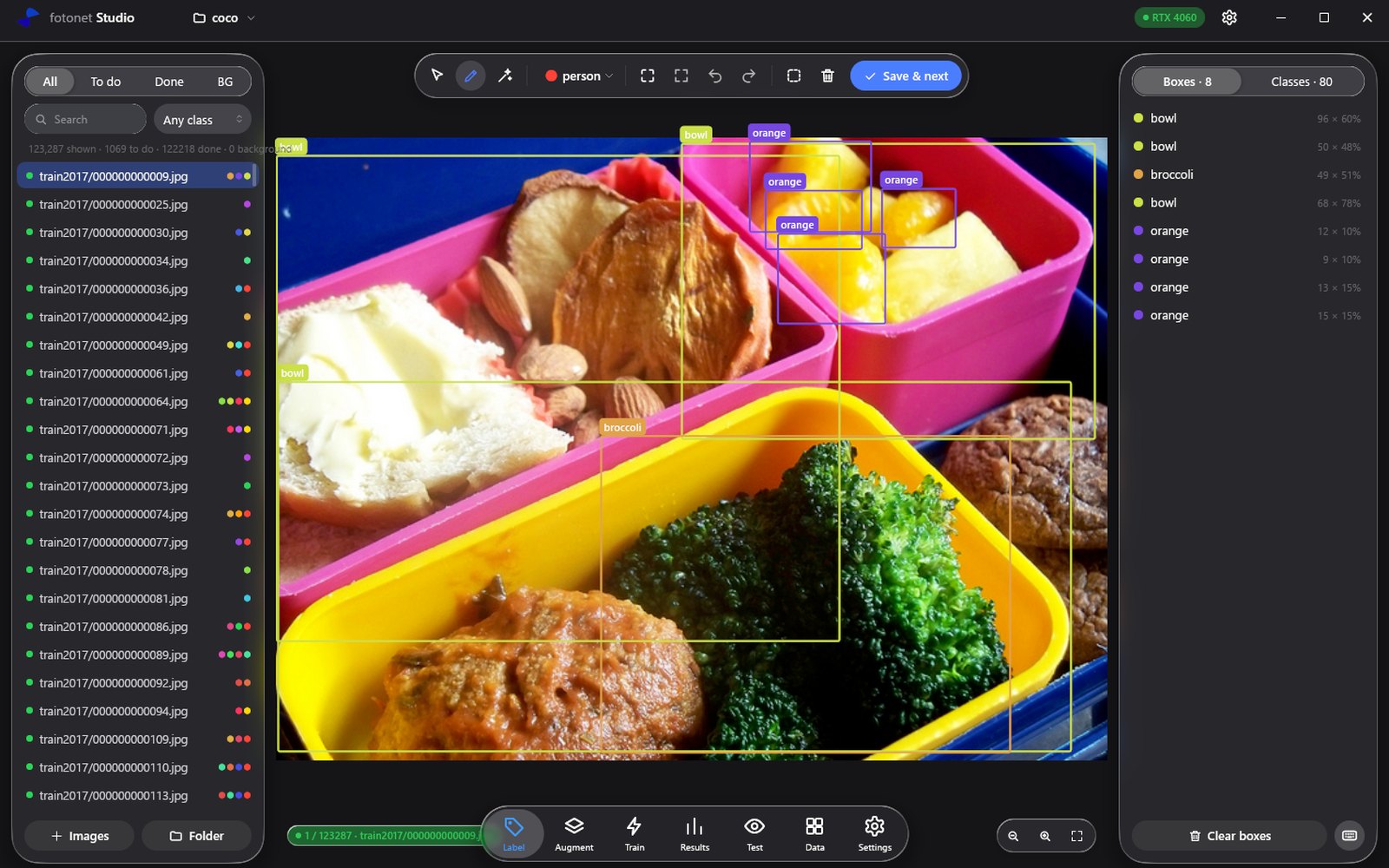
The Label tab is where a dataset is made. The image list on the left shows what is done, what is still to do and which images are backgrounds. Draw a box, pick its class, and press Save and next.
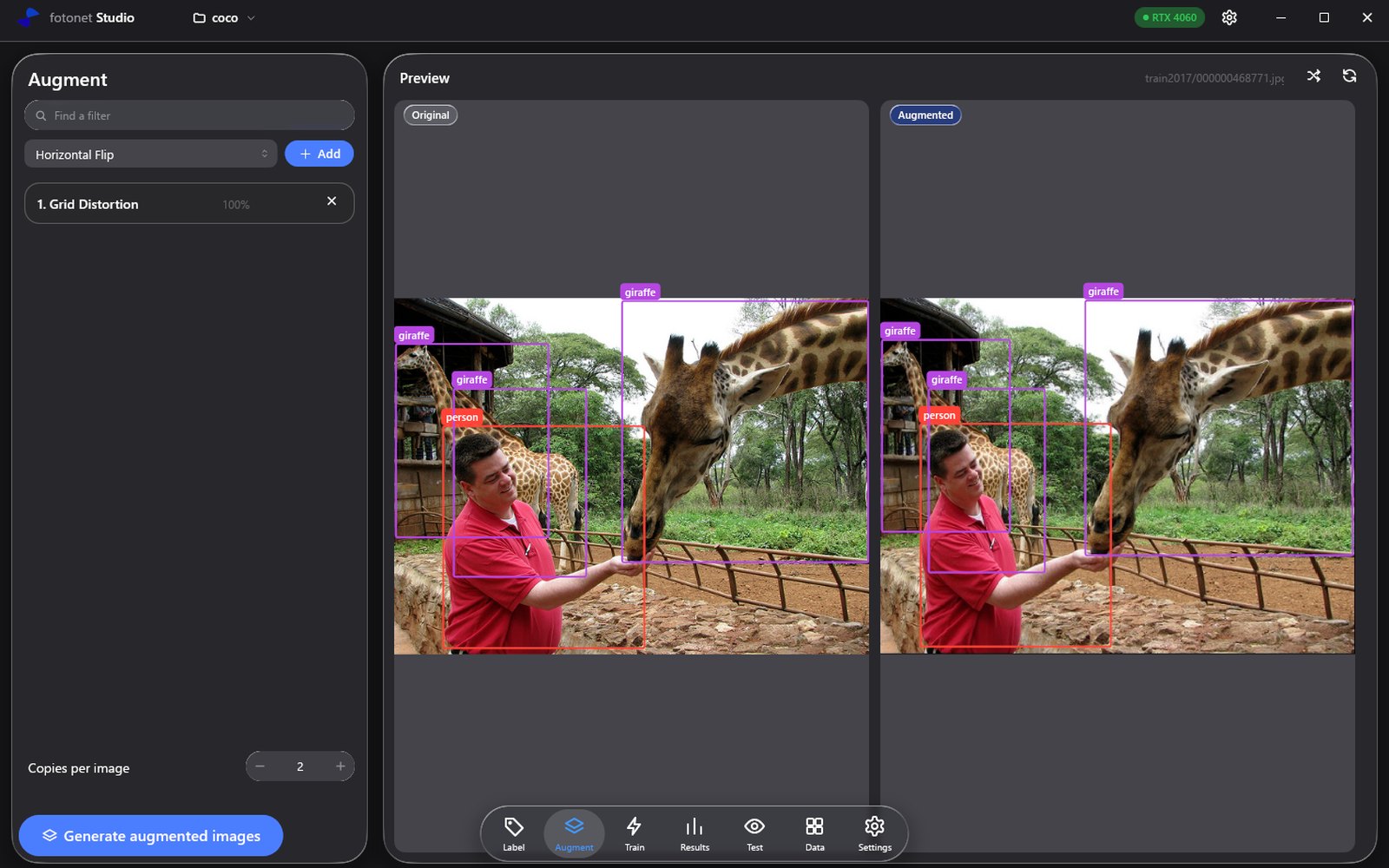
Augmentation makes new training images from the ones you have: flipped, shifted, distorted, recoloured. The Augment tab shows the original and the result side by side, boxes included, so you know exactly what the model will see.
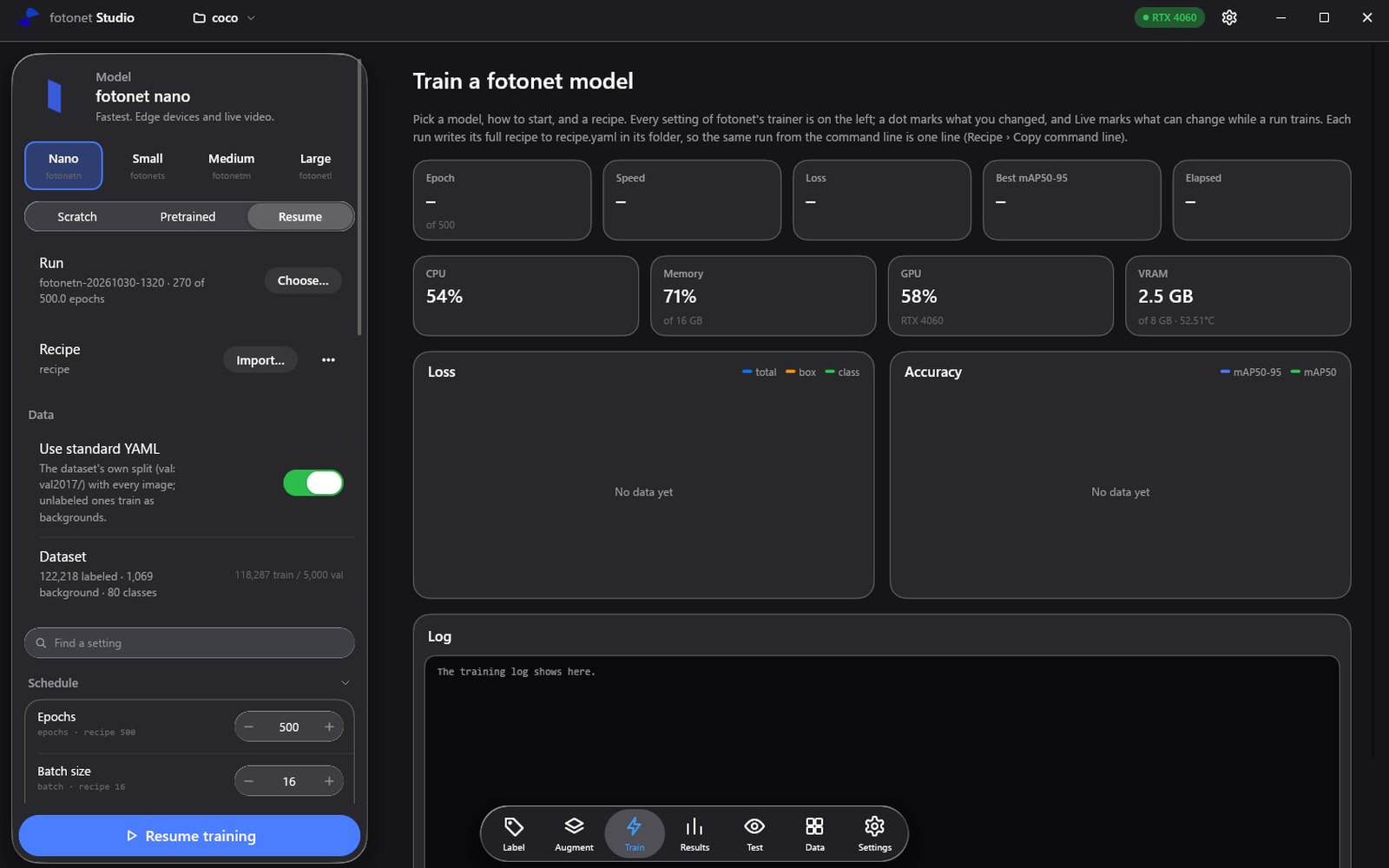
Pick a size, start from scratch or from released weights, and press one button. Every setting of the trainer sits on the left, and a dot marks what you changed. Loss, accuracy, speed and the machine itself draw live while it runs.
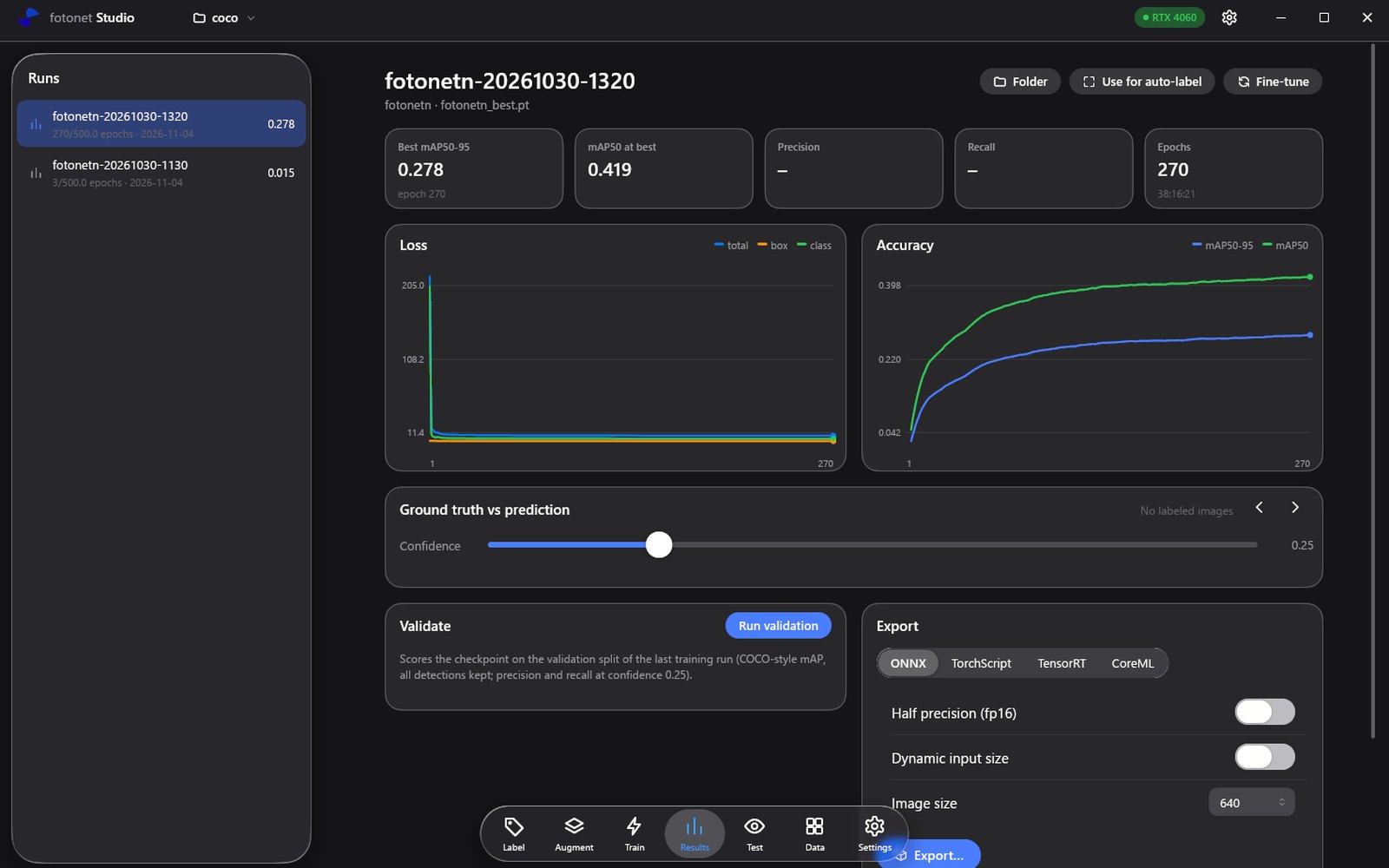
Results keeps every run of the project with its curves and its best scores. Pick a checkpoint and compare what it predicts with your own labels on any validation image, at any confidence.
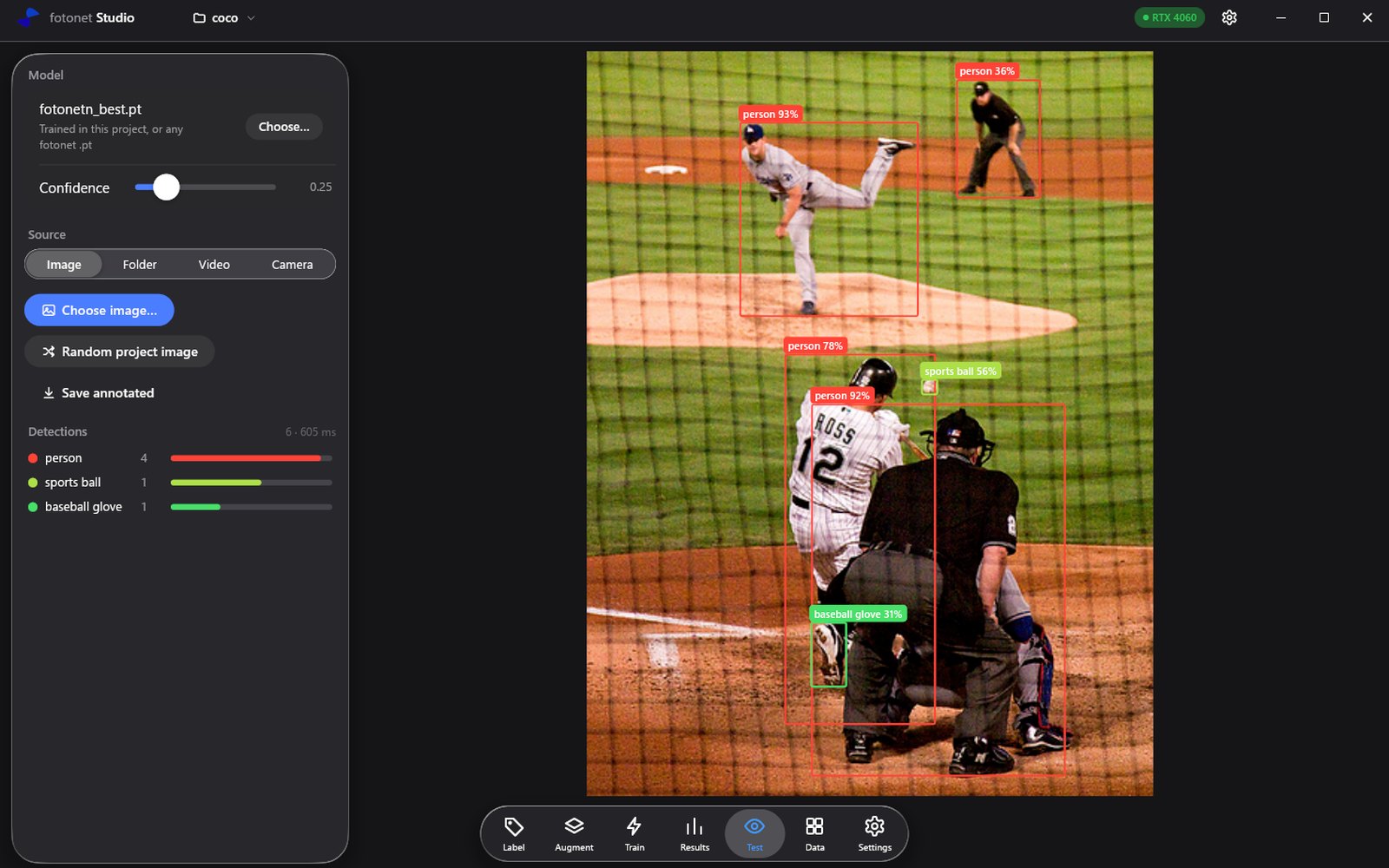
Point any checkpoint at an image, a folder, a video file or your camera and see what it finds, with a count for every class and the time it took.
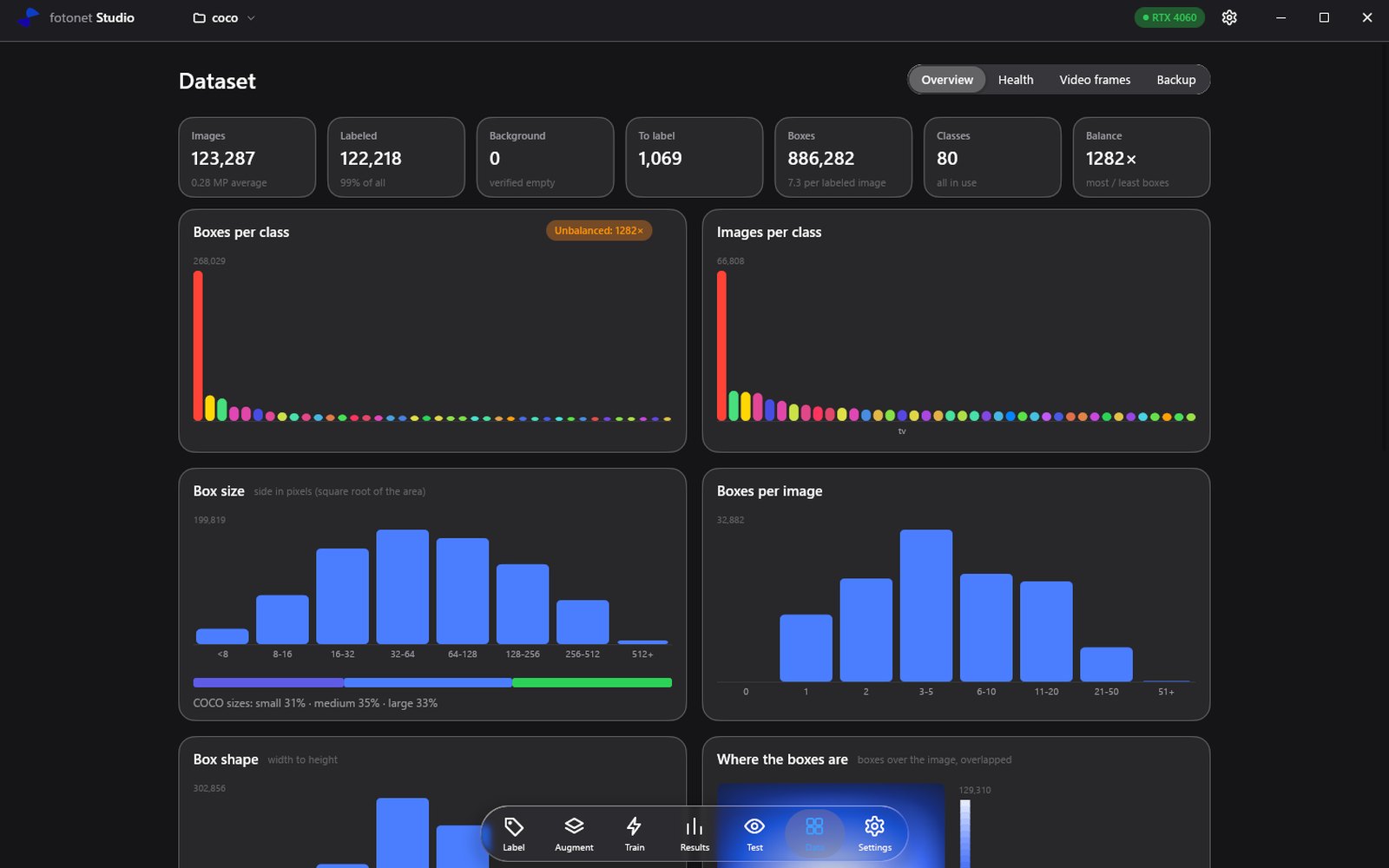
The Data tab measures the dataset before you train on it: how many images and boxes, how balanced the classes are, how big the objects are and where they sit in the frame.
Label
Draw, move and resize boxes on the photo itself. Zoom to the pixel, pan anywhere, and let the magic wand or a trained model draft the boxes for you to check.
Draw and edit. Every box moves and resizes in place, with a shortcut for everything.
Magic wand. Click an object and get a box around it.
Auto-label. A trained model drafts the boxes for a whole folder. You review them.
Nothing is lost. Deleted images and labels can be restored.
Train
Start a run with one button. Every loss and every metric draws live, with a forecast of where the run will land and guard rails that flag a run going wrong.
See exactly what every augmentation does to your images before a run uses it.
Stop a run whenever you need the machine, resume it later from where it stopped, and compare every run you have made.
Test and export
Run any of your checkpoints on an image, a folder, a video or your camera. Compare its boxes with your labels side by side, and export it when it's ready.
Agents
Tell your AI agent what you need in plain words. Agents label your images, fix boxes and tidy your classes in fotonet Studio, and you watch every box land.
Label every car, person and bike in my parking lot photos.
A whole folder at once. Agents split the work and label side by side. Intelligently.
Nothing without your OK. You decide what an agent may do on its own. For the rest, Studio asks first, and you can say yes, no, or what to do instead.
See every step. Studio opens each image as the agent works on it and takes on its model's colour, so you see the boxes as they land.
Undo anything. Every change an agent makes is logged and can be undone. Removed images go to the trash.
fotonet Studio's MCP server is tuned for Claude models and works best with them. Claude is a trademark of Anthropic, PBC; fotonet is not affiliated with Anthropic.
Install
pip install fotonetEverything Studio trains with is in the library.
Train
fotonet train \
  model=fotonetn \
data=data.yamlFollow along
Studio's release will be announced on GitHub.